
ROLE
Sole Designer
Duration
16 Days
STATUS
Continuously Improving
Date
2026 / 03
CONTENTS
01
Overview
02
Why AI
03
Challenge
04
Strategy
05
Experience Structure
06
Results
07
Reflection
Back to top
01 Project Overview
1.1 Context
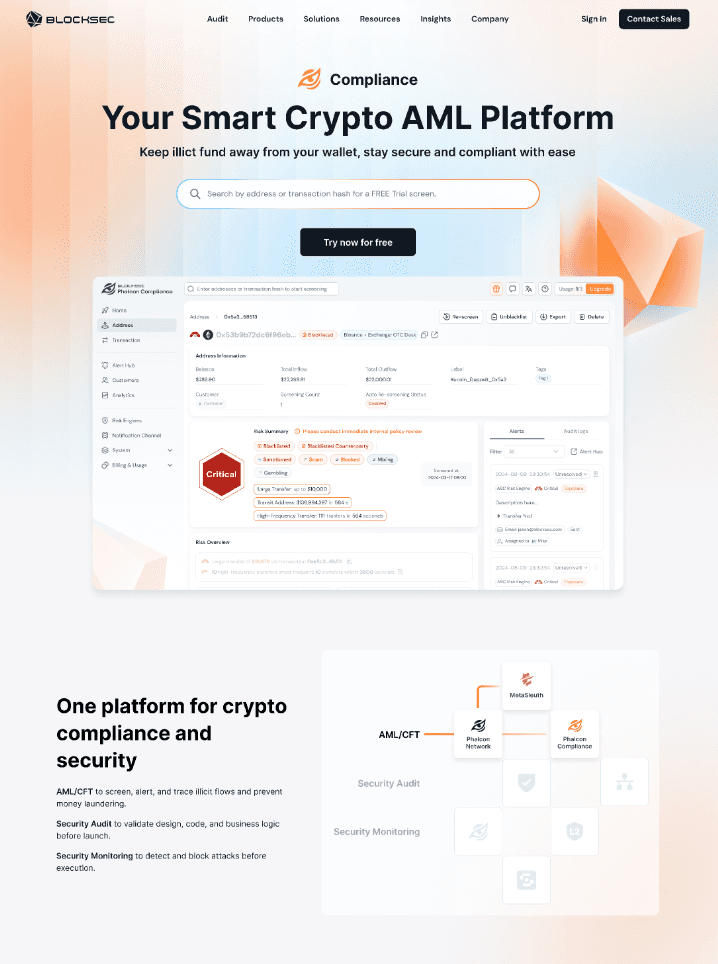
Phalcon Compliance is BlockSec's on-chain compliance product for address screening, transaction risk review, Alert handling, and risk data analysis. It mainly serves B2B institutional clients, with some B2C users.Efficiency is the user's top priority.
Lumi is the in-product AI Agent. This project created a new experience layer in Phalcon Compliance, helping users understand risk, read charts, and act on permission limits.
1.2 My Role
I was the sole designer on the project.
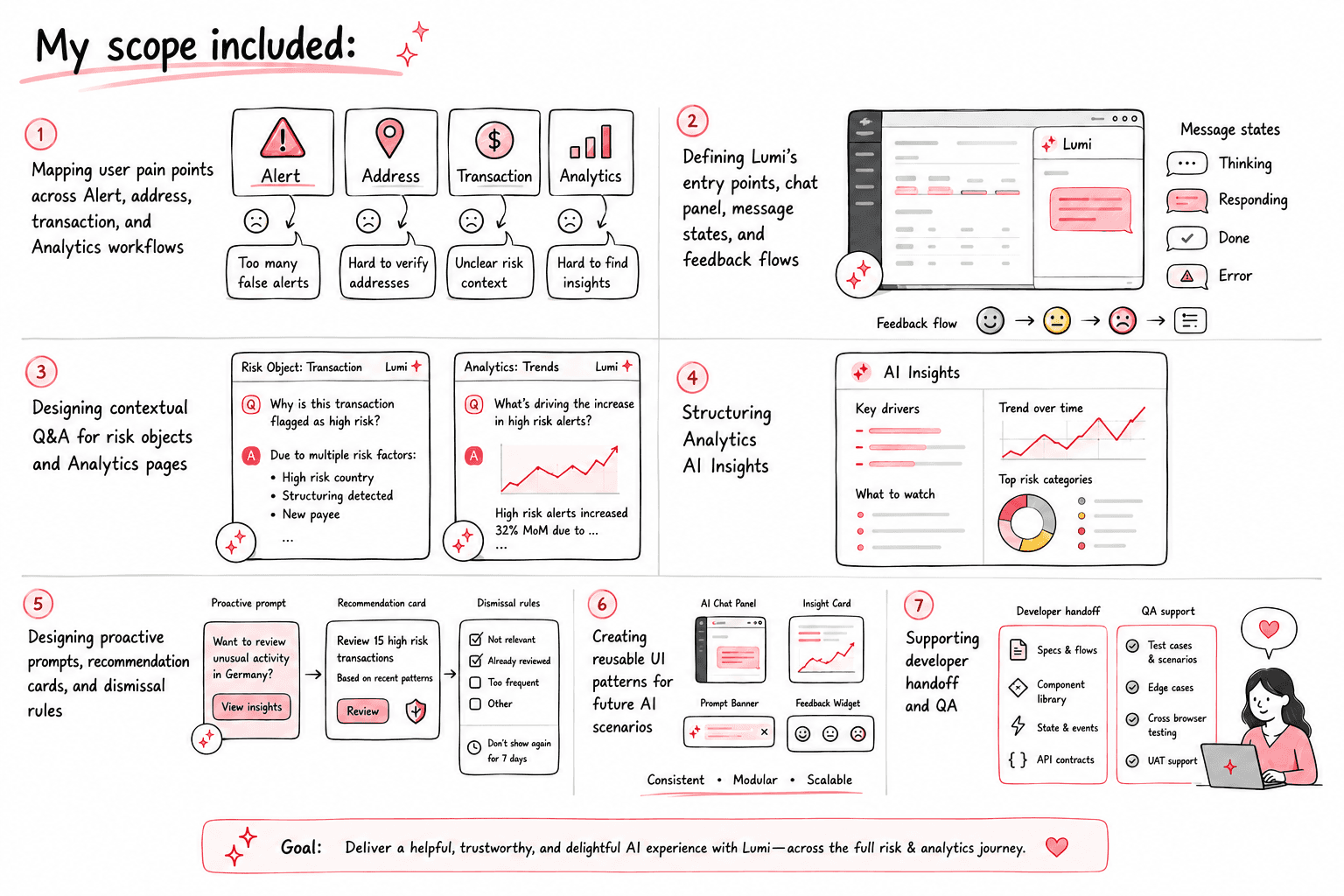
PM and engineering owned trigger logic, generation strategy, backend rules, APIs, and implementation.
02 Why AI Was Needed
Many Phalcon Compliance problems require contextual judgment. Users need to understand the current object, data, and account state before they choose the next step. Traditional UI can show information, but it struggles to explain why something happened and what to do next.
I defined AI around three jobs: explain risk, summarize data, and guide the next step.
2.1 Explain Risk: Make the Current Object Understandable
Users often ask:
Why is this address high risk?
What looks abnormal in this transaction?
Why was this Alert triggered?
What should I check first?
These questions depend on the current address, transaction, risk labels, matched rules, and time range. AI can carry that context into the answer and explain the risk reason, evidence, and next investigation step.
2.2 Summarize Data: Help Users Read the Charts
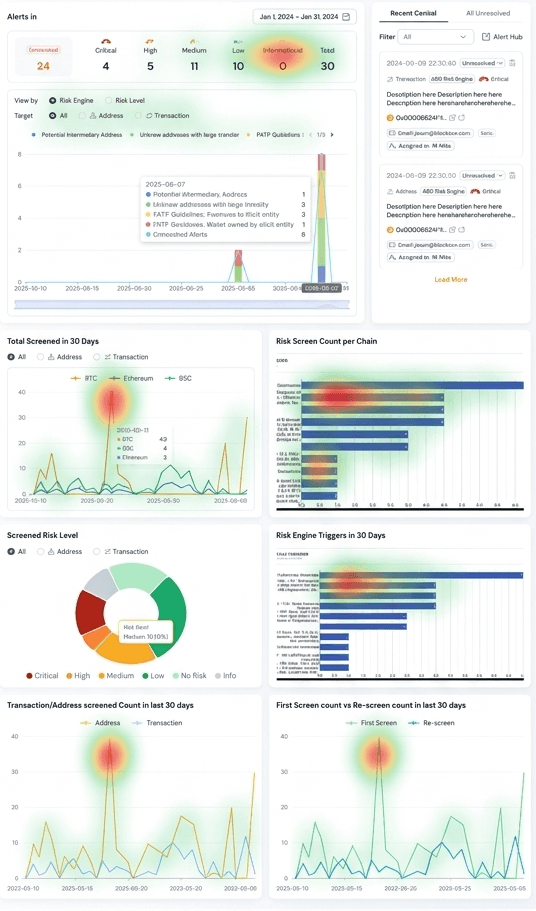
Users want to know whether risk increased, which risk type contributed most, whether an abnormal movement appeared, and where to look next. Charts show the data, but users still need help reading the signal.
AI Insights summarizes risk changes, key drivers, and suggested actions before users return to the charts for verification.
2.3 Guide the Next Step: Give Users a Path After a Limit
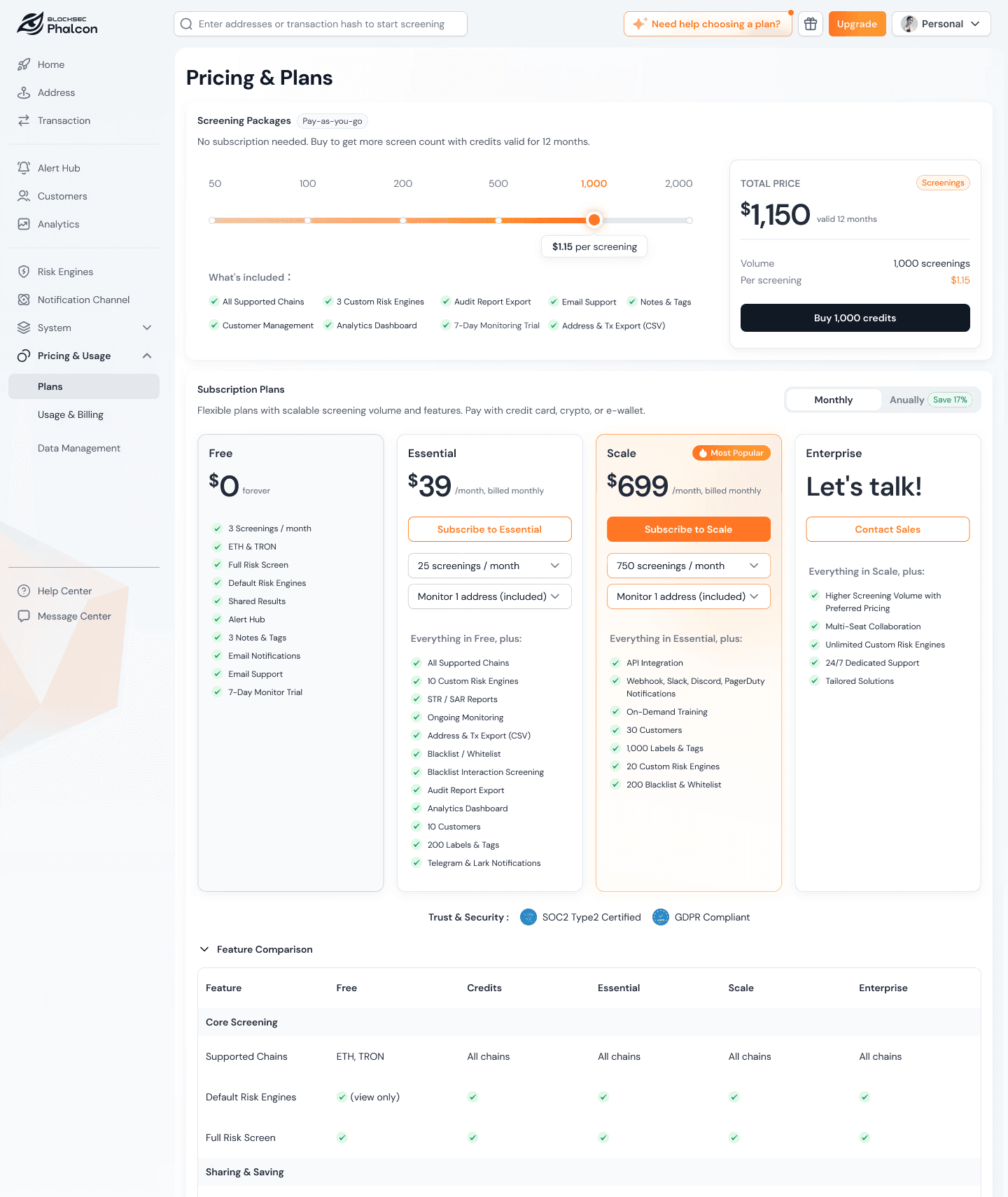
In Pricing, Usage, and Billing, I saw users spend time comparing options without always knowing the next step:
0.0 min
Average time on page
0.00%
Dead clicks
0.00%
Pricing → successful payment / subscription
0
Sessions on the
Pricing page
When users run into upgrade, top-up, credit purchase, renewal, or permission limits, plain text guidance is not enough. AI can explain the trigger reason, then show a structured card that users can adjust and act on.
03 Design Challenge
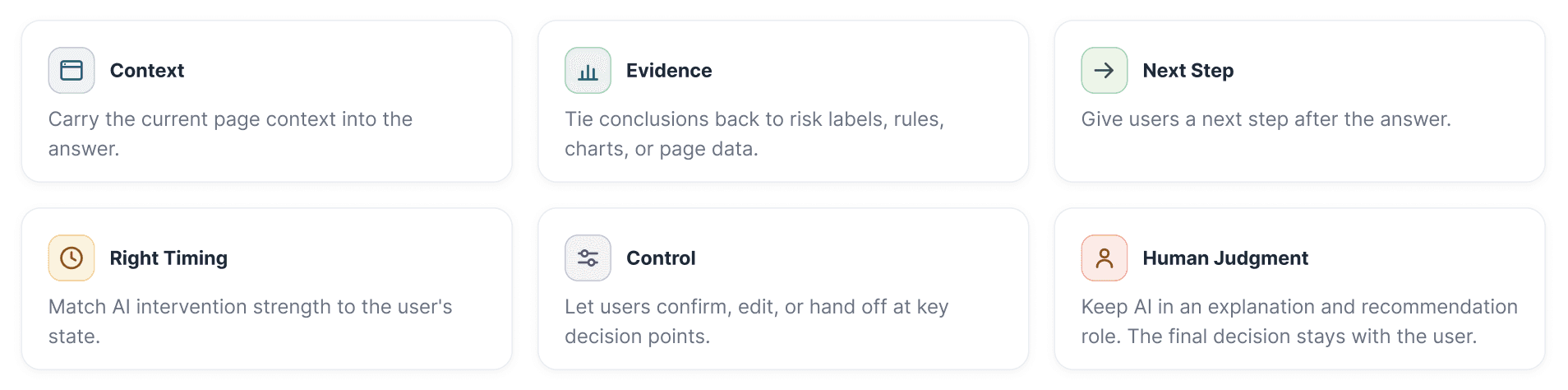
The core challenge: Make AI useful inside compliance workflows while showing users what it is doing, what it is based on, and where they can take control.
My design principles:
04 Design Strategy
4.1 Build the Agent Foundation Layer
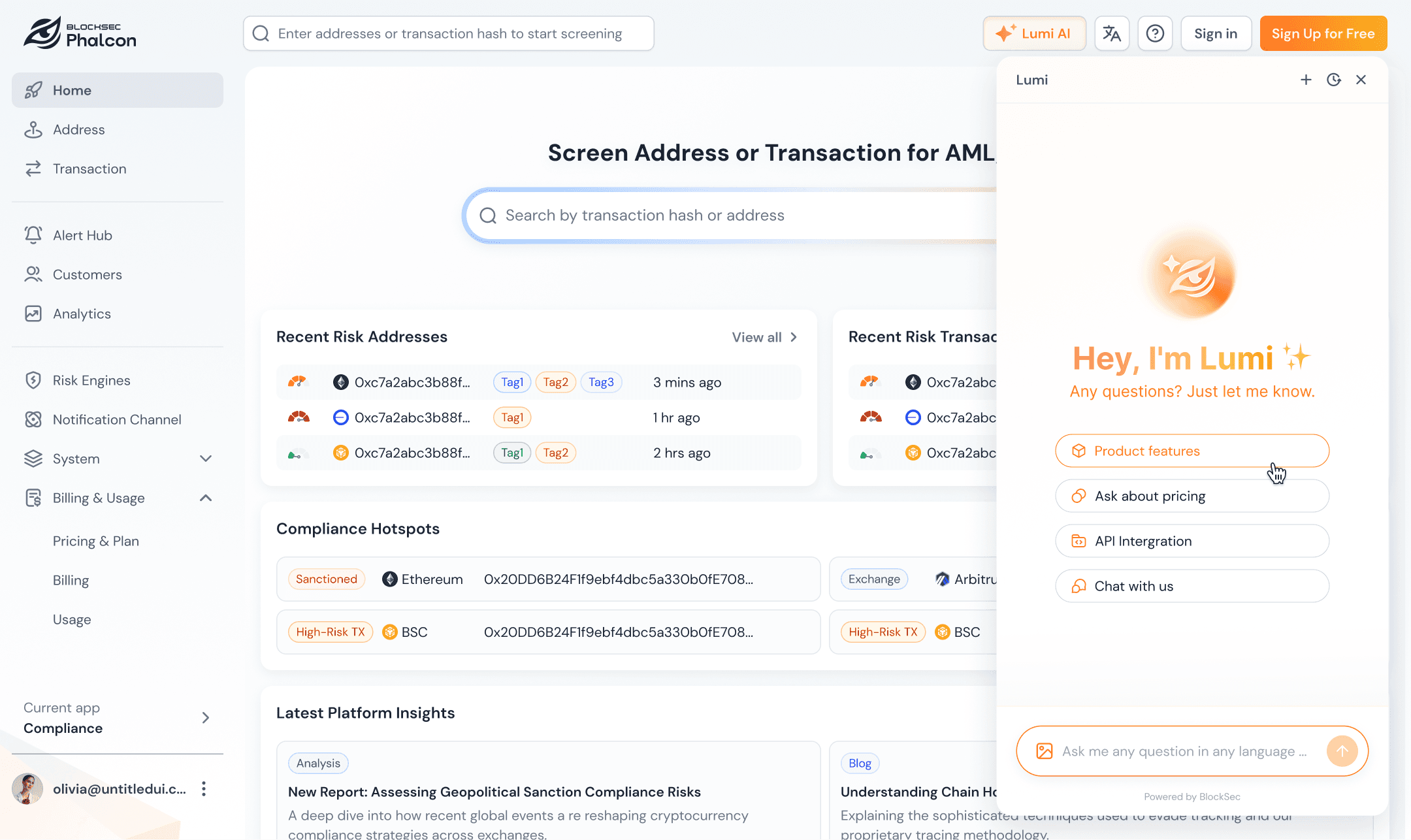
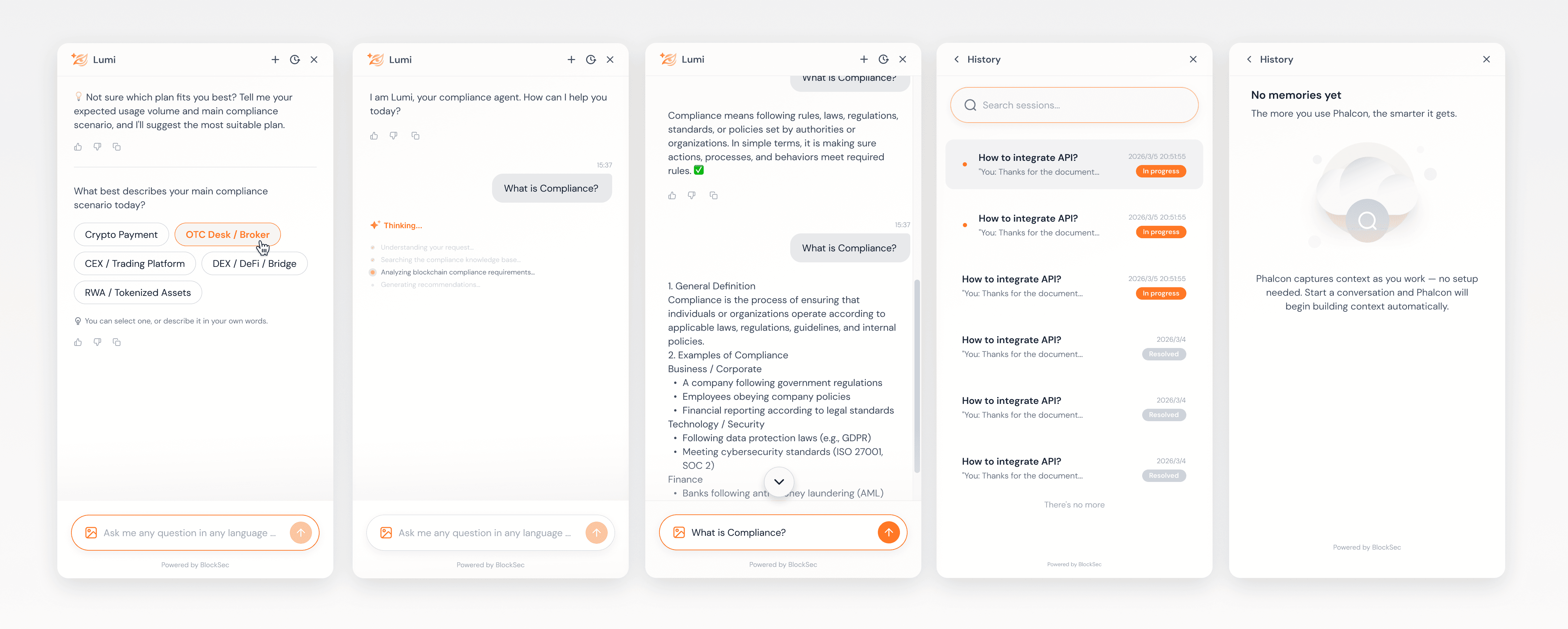
At the foundation stage, I focused on trust basics: Can users find Lumi, understand what it can do, follow its status, and take back control after the result?
This layer stabilized entry points, states, feedback, and boundaries before we added higher-autonomy features.
4.2 Embed the Agent in Real Task Context
After the basic chat experience worked, I placed Lumi inside real user workflows. It answers based on the current page, object, and filters.
The answer shows the current object, page scope, or filter conditions. For risk-related answers, Lumi ties the conclusion back to risk labels, matched rules, charts, or page data.
Lumi stays in an explanation and recommendation role. It helps users read the signal, then points them back to evidence and product actions.
4.3 Control Intervention by Autonomy Level
I split Lumi's autonomy into five levels:
Autonomy level
Trigger scenario
Lumi behavior
Entry only
No clear sign of friction
Keep entry visible
Light prompt
User may need help, but intent is unclear
Show light prompt
Contextual answer
User asks a question
Answer from context
AI Insights
Page information is complex
Summarize key risks
Recommendation card
User state and next action are clear
Show action card
Higher autonomy requires more transparency. The UI explains the trigger reason, shows evidence, and provides close or handoff options. If users dismiss Lumi, key data is missing, or frequency limits apply, Lumi returns to a quiet state.
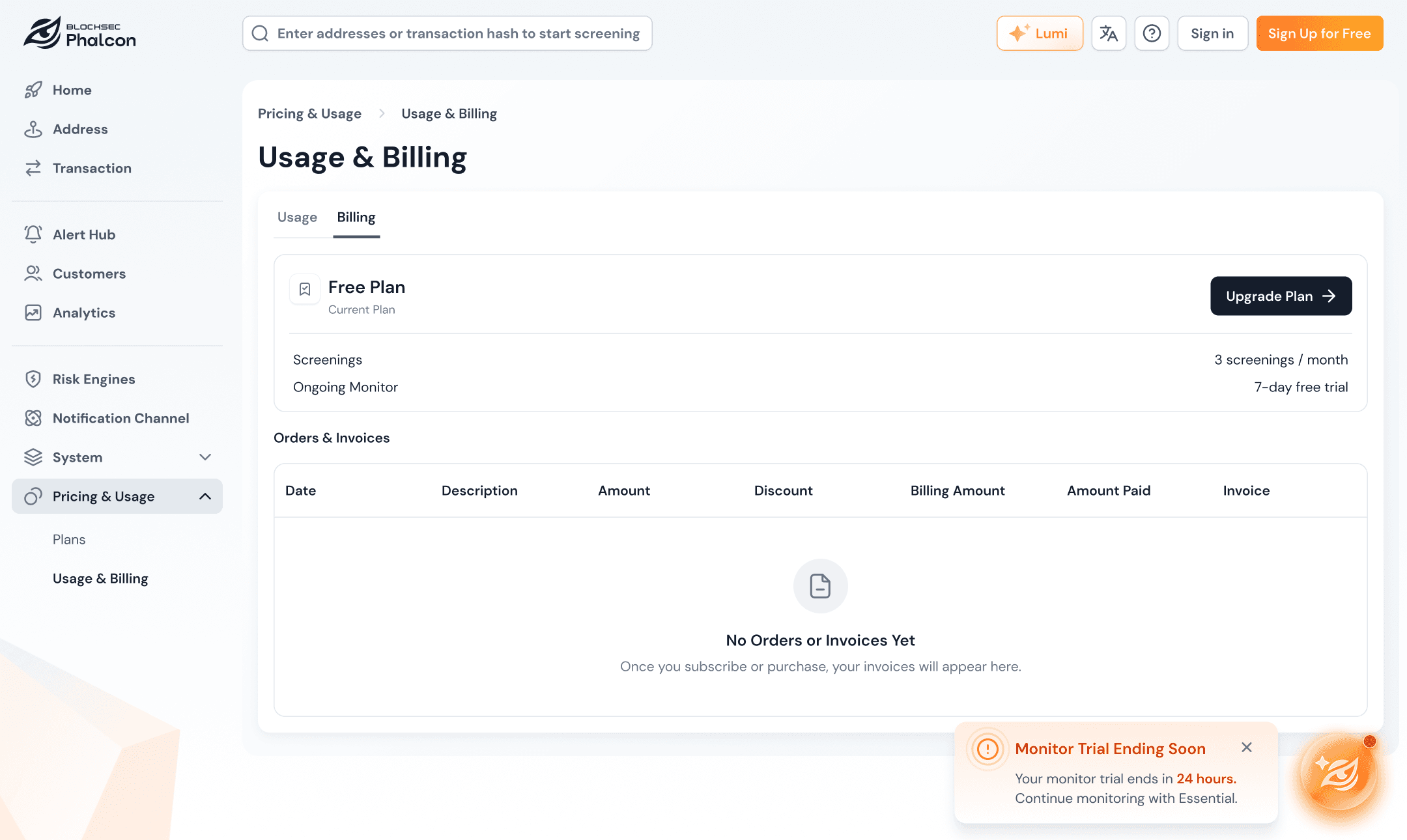
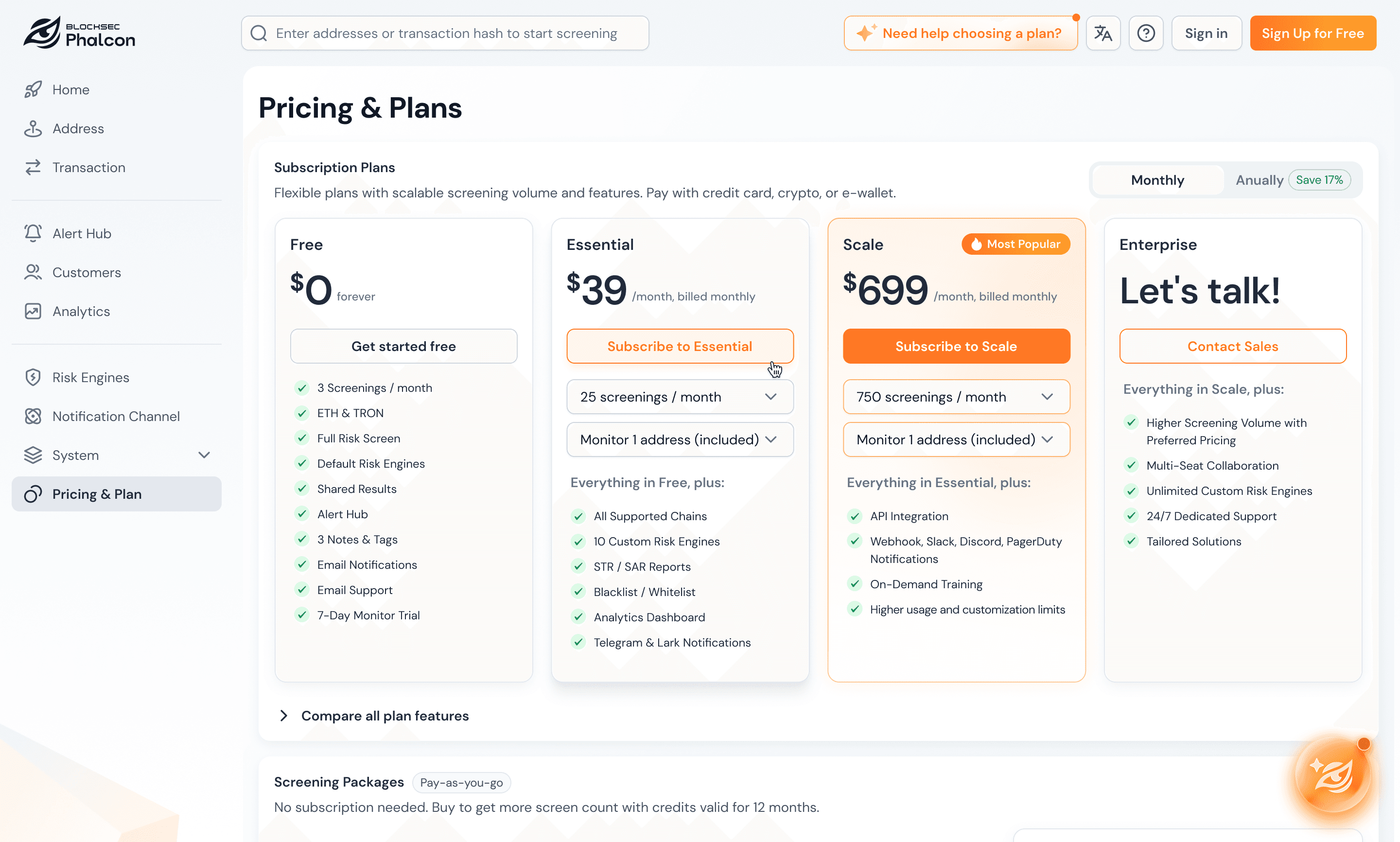
4.4 Use Structured Cards for Plan Recommendations
I split the recommendation into three layers:

This keeps AI from deciding price or plan details directly. Recommendations stay stable, reviewable, and editable. If users dismiss, convert, or required data is missing, the system stops repeating the prompt.
05 Reusable Experience Structure
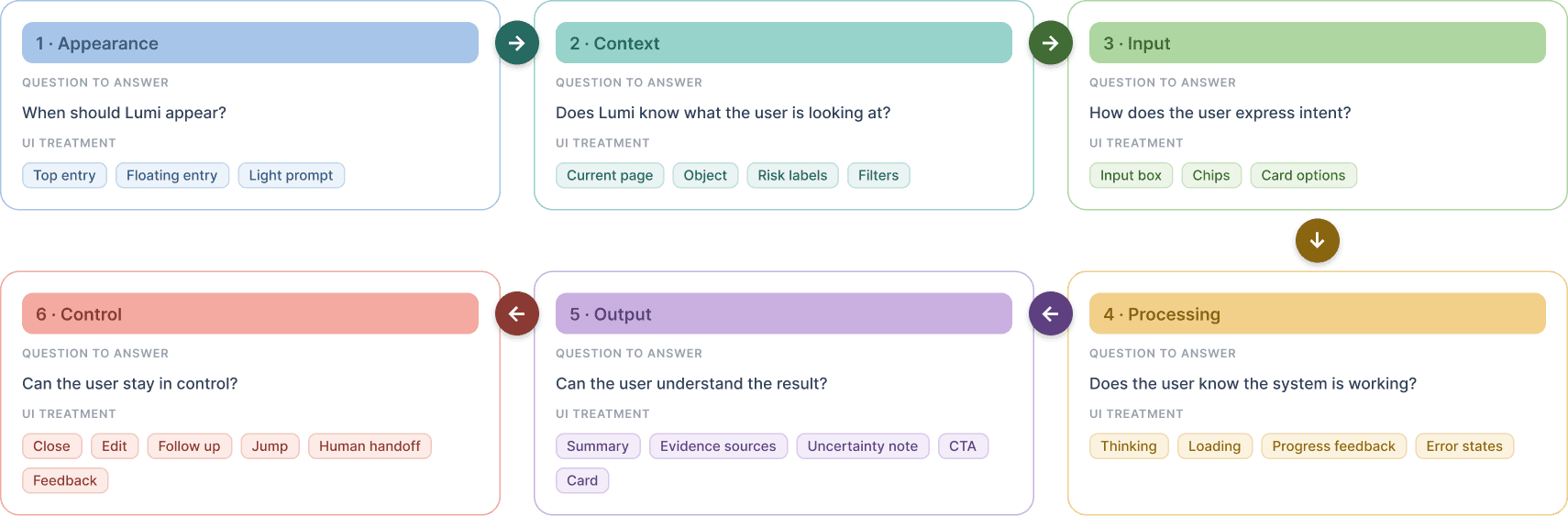
This project produced a reusable AI experience structure:
06 Results
Lumi-agent is still evolving, so I treat these as early signals, not causal proof.
0%
Asked after opening
0%
From task pages
0%
Helpful on Insights
User feedback
Lumi did not interrupt the original task.
Page context made questions feel more natural.
recommendation cards made the next step clearer than plain text.
Users called out three points: Lumi did not interrupt the original task; page context made questions feel more natural; recommendation cards made the next step clearer than plain text.
Next, I will track entry click rate, question rate after open, contextual page source share, chip click rate, Helpful feedback, card CTA click rate, dismissal rate, and repeat prompt rate.
07 Reflection
Bring Design into Agent Boundary Definition Earlier
Takeaway: Align early on what AI explains, what rules decide, when users confirm, and when humans take over.
Map Agent States Before Designing Screens
Takeaway: Use a state matrix to confirm triggers, frequency limits, failure states, uncertainty prompts, and handoff paths.
Design How Users Judge AI Answers
Takeaway: Define evidence references, uncertainty prompts, and feedback loops early.
Split AI Output into Rules, Generation, and UI
Takeaway: Separate rules, generation, and UI responsibilities to reduce review and implementation cost.
If the work resonates or sparks your curiosity, I'd love to chat.




© 2026 Tanya Tian